AL-TEK
Software development and consulting
Software development and consulting
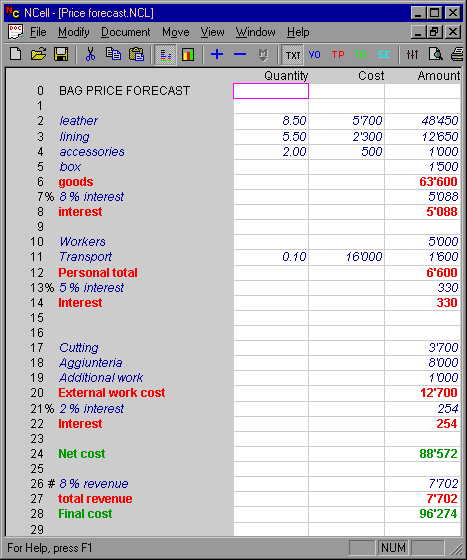
In this example you can see some interesting features of NCell:
Columns "Quantity" and "Cost" are set as multiplyng, while "Amount" is standard, so that when "Quantity x Cost" is different from 0 the result is placed in "Amount", while when the product is 0 the value to add can be inserted in "Amount" directly.
Rows 7, 13 and 21 are %rows so they contain the % value of the previous non text line, in case of row 7 the value is 7% of goods.
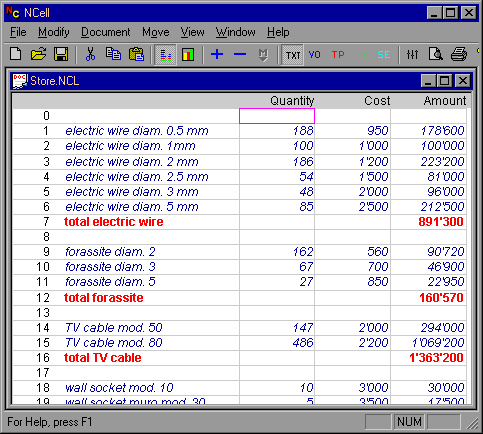
This is a simple example where you can see multiplying colums "Quantity" and "Cost", the result is placed in amount, which also contain the result of the sum of the various groups.
